본격적인 개발과 모듈 구조를 구상하기 전, '안녕 꿀떡볶이!' 문구를 띄워 보려고 한다.
도커 컨테이너 app 멈추기
인텔리제이에서 실행하는 것이 도커 컨테이너 app에서 실행하는 것보다 편리해서, 우선 도커에서 app을 멈추겠다.
docker stop honeydduk-api-server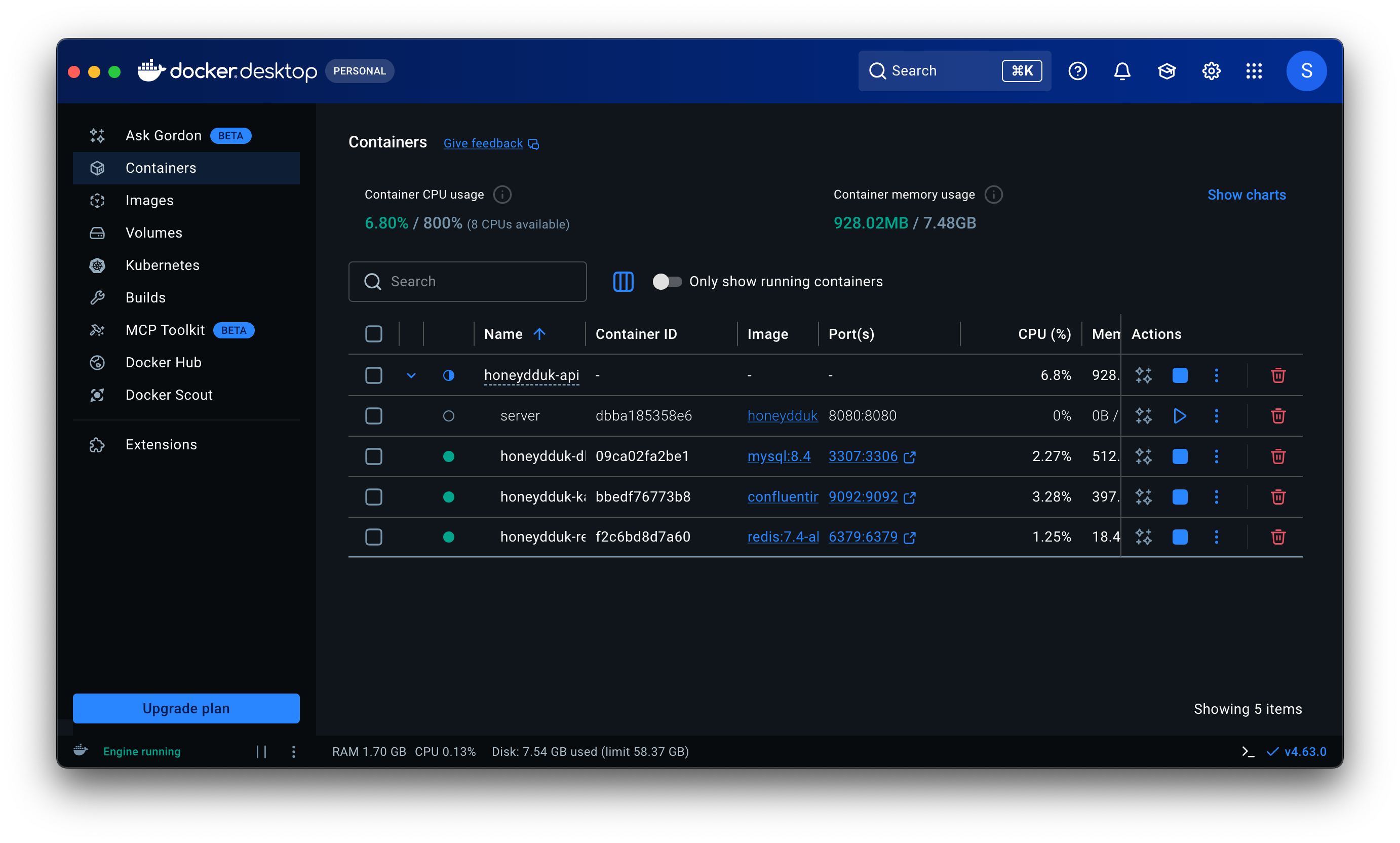
+) 도커와 인텔리제이 둘 다 띄워두고 싶다면 포트를 분리하면 된다.
compose.yaml에서 '8081:8080'으로 바꾸면, 도커 앱은 8081로 접속하고 인텔리제이 앱은 8080으로 접속하게 된다.
하지만 굳이 두 개를 띄울 필요는 없었기에, 도커 앱만 잠시 죽였다.
Spring Security 모두 통과 시키기
http://localhost:8080/에 접속하면 아래와 같이 로그인 창으로 강제 리다이렉트 될 것이다.

어제 프로젝트 생성 시 build.gradle 설정할 때 시큐리티 의존성을 넣었기 때문이다.
스프링 시큐리티는 의존성만 추가하면 '기본적으로 모든 요청을 인증된 사용자만 볼 수 있게' 잠군다.
그래서 아무리 /login이 아닌 다른 경로로 접속하려고 해도 /login으로 강제 리다이렉트를 보낸다.
지금은 개발 초기 단게니까 시큐리티를 잠시 비활성화하겠다.
개발 초기에는 시큐리티 설정 때문에 테스트가 막히면 답답하니까, 일단 모든 요청을 통과하게 설정하겠다.
1. common/config 패키지 생성
2. SecurityConfig.java 파일 생성 후 모든 요청을 통과하도록 접근제어 해제
package com.honeydduk.api.common.config;

import org.springframework.context.annotation.Bean;
import org.springframework.context.annotation.Configuration;
import org.springframework.security.config.annotation.web.builders.HttpSecurity;
import org.springframework.security.config.annotation.web.configuration.EnableWebSecurity;
import org.springframework.security.config.annotation.web.configurers.AbstractHttpConfigurer;
import org.springframework.security.web.SecurityFilterChain;

@Configuration
@EnableWebSecurity
public class SecurityConfig {

    @Bean
    public SecurityFilterChain filterChain(HttpSecurity http) throws Exception {
        http
                .csrf(AbstractHttpConfigurer::disable) // 테스트 편의를 위해 CSRF 끔
                .authorizeHttpRequests(auth -> auth
                        .anyRequest().permitAll() // 모든 요청을 인증 없이 허용
                );
        return http.build();
    }
}
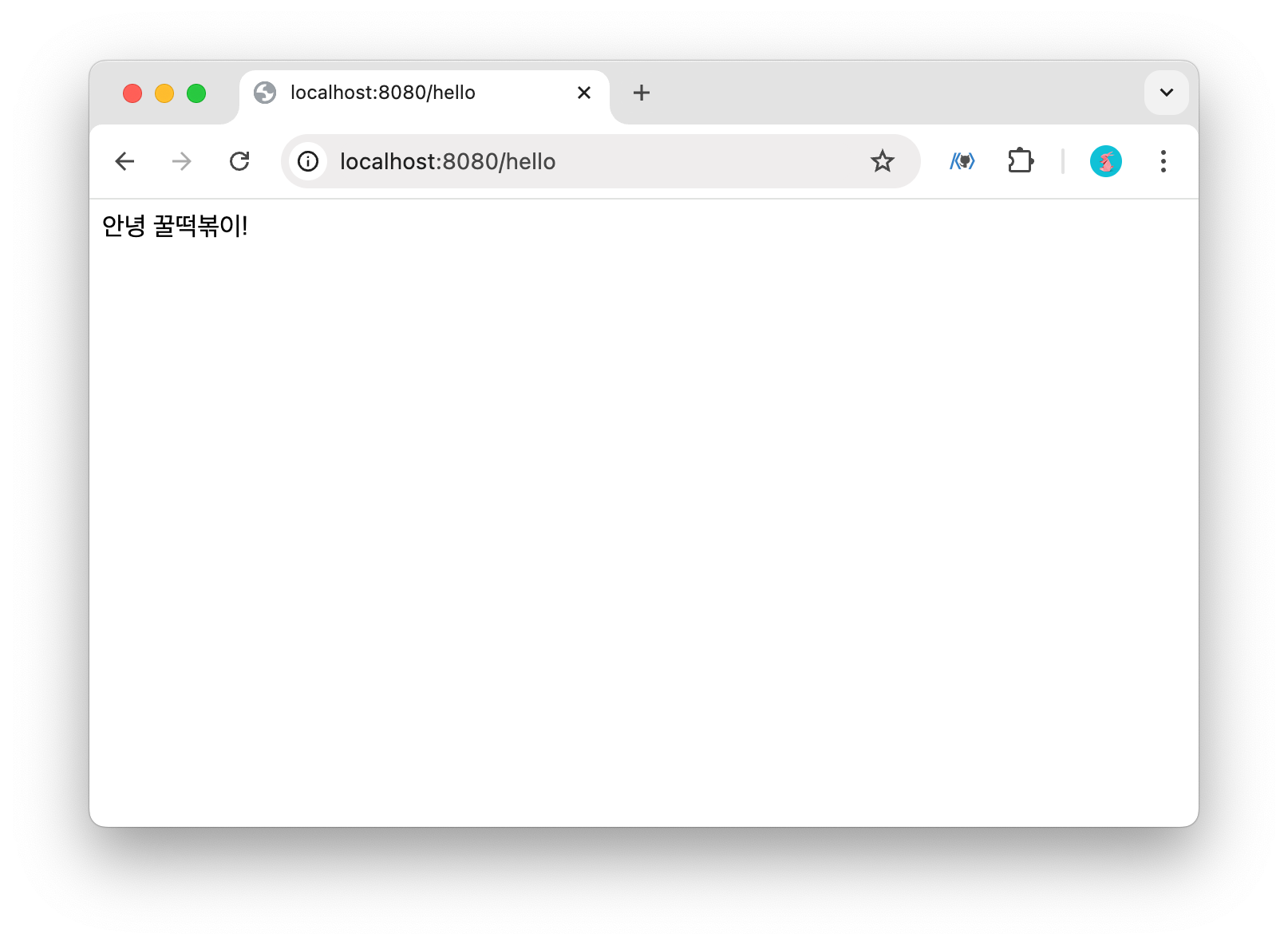
안녕 꿀떡볶이!
이제 테스트를 위해 '안녕 꿀떡볶이!'를 브라우저에 출력하겠다.
1. domain/HelloController.java 생성 후 테스트 메서드 작성
2. 앱 실행
3. http://localhost:8080/hello 접속하여 문구 출력 확인
package com.honeydduk.api.domain;

import org.springframework.web.bind.annotation.GetMapping;
import org.springframework.web.bind.annotation.RestController;

@RestController
public class HelloController {

    @GetMapping("/hello")
    public String hello() {
        return "안녕 꿀떡볶이!";
    }
}
패키지를 옮기다 보면 인텔리제이가 옛날 경로 정보를 물고 있는 경우가 많다.
이럴 때는, 터미널 탭에서 아래 명령어 입력한 후 앱 실행하면 해결된다.
./gradlew clean
'[Project] > 사이드 프로젝트' 카테고리의 다른 글
| [꿀떡볶이 프로젝트] 요구사항 분석 및 도메인 모델링 설계 (0) | 2026.03.18 |
|---|---|
| [꿀떡볶이 프로젝트] 프로젝트 생성 및 컨테이너화 (IntelliJ, docker) (0) | 2026.03.17 |
| [꿀떡볶이 프로젝트] 사이드 웹프로젝트 기술 스택 선정 (0) | 2026.03.16 |
| [꿀떡볶이 프로젝트] docker로 개발 환경 구축하기 (0) | 2026.03.12 |
| [Mac/intellij] 사용하지 않는 import문 자동 삭제 해제 (0) | 2023.12.12 |